Ink IF Story Template
Ink Story Template for Interactive Fiction
I love Ink, but I couldn't find any web templates for it that were quite as polished as the Twine ones, so I built one.
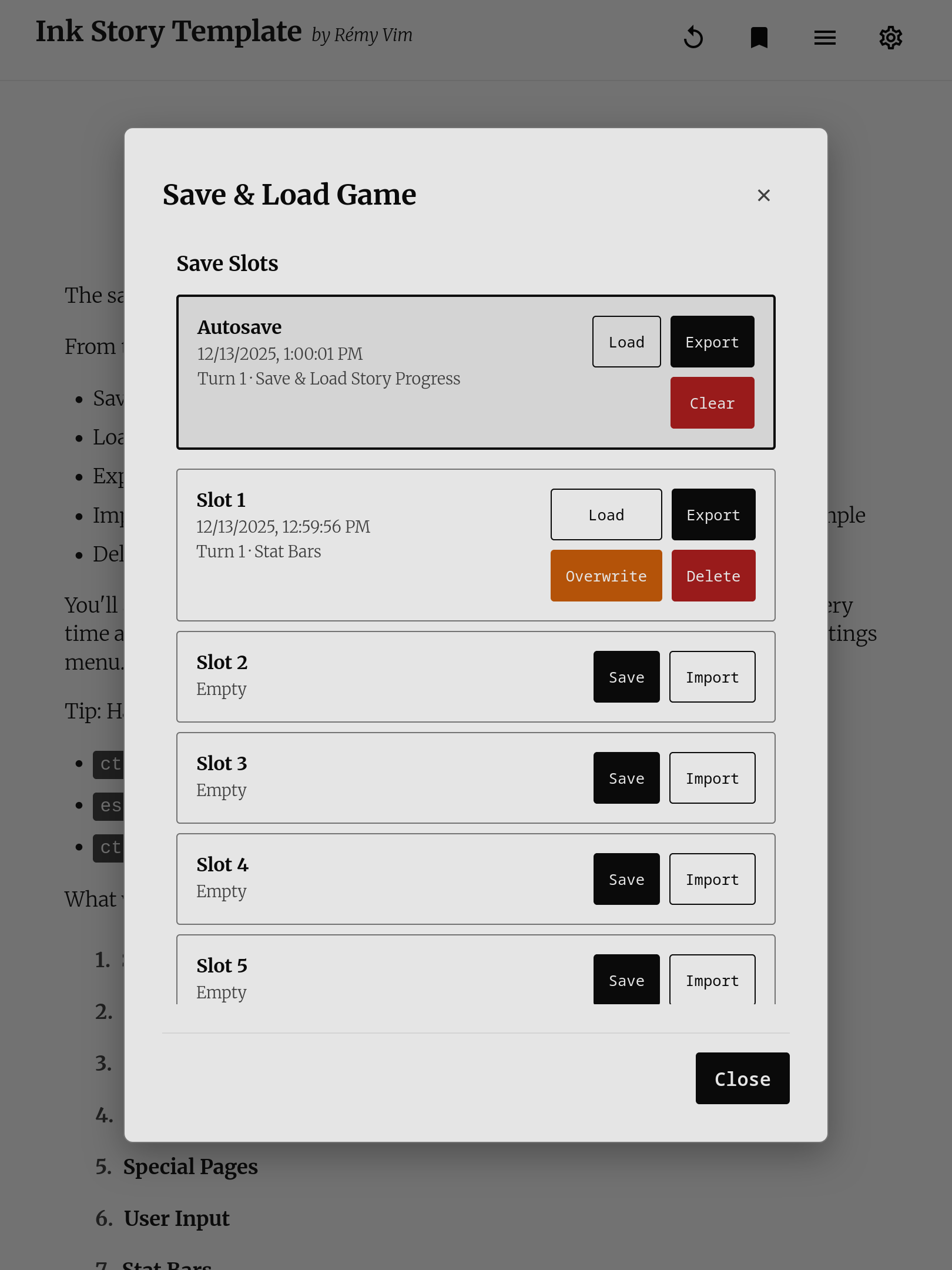
- Save System: 5 slots + autosave, export/import saves, keyboard shortcuts
- Rich Text: Markdown-style formatting, headers, lists, inline styles, automatic links
- User Input: Populate Ink variables with text input fields
- Media Support: Images, background images, audio, looping music
- Stat Bars: Visual progress bars for health, skills, relationships, or any variable
- Tone Indicators: Mark choices with mood icons (friendly, aggressive, cautious, etc.)
- Special Pages: Character sheets, credits, maps, reference pages outside story flow
- Notifications: Achievements, warnings, and alerts
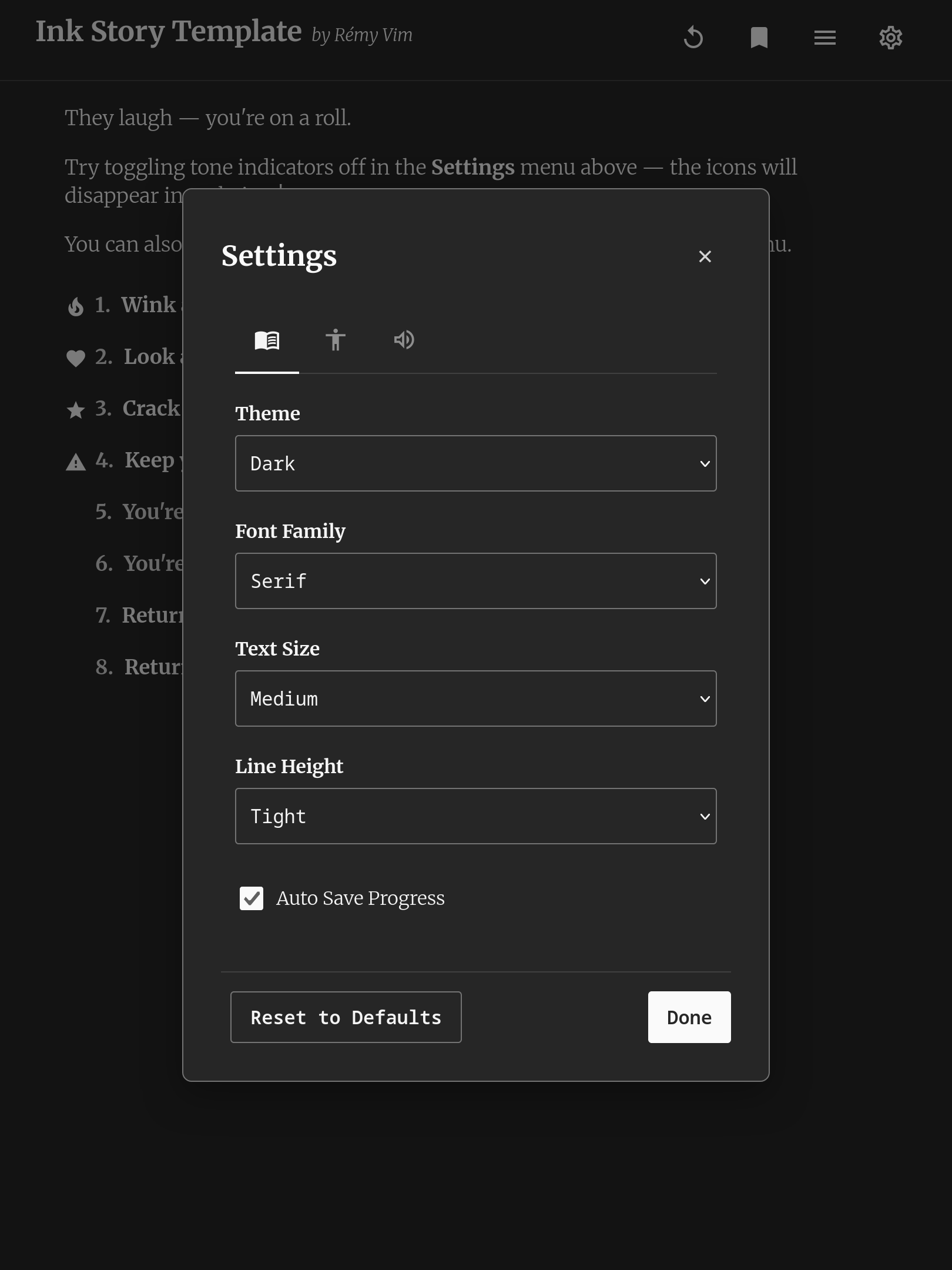
- Settings: Theme (light/dark/auto), font selection, text size, audio controls
- Functions: String manipulation, math, fairmath, and real-time date/time functions
- Responsive: Works beautifully on desktop, tablet, and mobile
- Accessible: Full screen reader support, WCAG AA contrast (4.5:1), accessible touch targets, keyboard navigation (1-9, A-Z for choices), dyslexia-friendly font option
- Extensible: Add custom code via
custom.jsandcustom.csswithout touching core files
If you're a fellow interactive fiction writer looking for a good home for your Ink stories, check it out, this might be it. You don't even have to touch a line of HTML, CSS, or JavaScript (unless you want to)!
Quickstart
- Download the .zip from here (or get the release from the GitHub repository).
- Export your Ink story to JSON (using Inky or inklecate).
- Replace
story.jsonwith your story JSON file. - Add any assets (images, music, etc) in the assets folder.
- Modify
css/custom.cssas you see fit. - Upload anywhere that serves static file.
It's free and open source, and you can deploy anywhere that serves static files.
This template is in active development and is subject to change. You can find the full changelog on GitHub, and I will try to be consistent about devlogs here as well!
Found a bug or have a feature idea?
Open an issue on GitHub, or use the feedback forms if you don't have a GitHub account: Bug report · Feature request
Download
Install instructions
- Unzip the folder
- In Inky: File > Export to JSON
- Replace story.json with your exported file
- Upload the folder to itch.io, Neocities, or any static host
See README.txt in the zip or the full documentation for more details.
Development log
- Ink Story Template v1.4.0Jan 06, 2026
- Ink Story Template v1.3.0Dec 13, 2025
- Ink Story Template v1.2.2Nov 24, 2025
- Ink Story Template v1.2.1Jul 23, 2025
- Ink Story Template v1.2.0Jun 29, 2025
- Ink Story Template v1.0.0Jun 28, 2025
- Ink Story Template v1.1.0Jun 28, 2025


Comments
Log in with itch.io to leave a comment.
This is very cool, Rémy, thanks for making and sharing it! I love the focus on accessibility.
Currently my story screen clears upon every choice (without a # CLEAR tag in the story file.) Is there a way to change this so the previous text is persistent, as in the Inky preview? And keep the # CLEAR functionality for when it's explicitly called in the story file.
Apologies if I've missed something obvious! And thanks again.
Hey caitlinmh, glad you like the template!
You’re totally right, the screen clears after every choice now—which makes the
# CLEARtag pretty much useless.When I built the save system and special pages, auto-clearing after each choice kept the display history tracking simpler. There are also some accessibility considerations with continuous scrolling (managing focus, signaling new content for screen readers) that need a little bit of care to get right.
None of that is a blocker though. Re-implementing continuous mode as an opt-in global tag (something like
# CONTINUOUS) is definitely doable. It wouldn’t break saves or special pages or anything. It would just take some time to implement and test properly.If this is something you’d really find useful, would you mind opening a feature request on GitHub or using the feature request form? That will help me gauge interest and prioritize accordingly.
Thanks for flagging this!
I made a GitHub feature request upon reading this as I definitely rely on the CLEAR tags and didn't realize the template didn't support them - https://github.com/RemyVim/ink-if-story-template/issues/4
Thanks for opening the issue Takanu!
As I outlined in the GitHub issue, I’m going to change the default to continuous scrolling so it matches Inky out of the box. The # CLEAR tag will work as intended, and I’ll add an optional global tag for anyone who prefers the current behavior (clear after each choice).
This is at the top of my list for the next release!
Hey caitlinmh and Takanu,
The Inky-style continuous display is up in v1.4.0! It’s now the default. There is a new tag
# AUTOCLEAR: on/offthat you can use to toggle auto-clear on choice for parts or all of the story. See the docs for Template Control (https://remyvim.github.io/ink-if-story-template/reference/template-control/) for more info on how to use this tag.Happy new year!
oh wow thank you so much! if i find any bugs i'll report them on GitHub, happy new year to you as well 🎉🎉🎉
Sorry for totally falling off the map! Thanks to Takanu for submitting the request and to you for delivering - and so quickly. This is absolutely rad, thank you so much.
If you ever decide to set up payments on Itch, let me know - I'd love to buy you a beverage of your choice to say thanks. This stuff is what makes the internet great.
I recently moved to Inky due to it's vastly better writing system to Twine and needed a template much like you pointed out to fill in one or two gaps (text input, save exports). Much like Inky for writing this really elevates the experience of reading IFs that it makes you wonder why Twine templates aren't as nice as this to use.
AUTO THEMES! AUTO SAVES! GOOD PHONE LAYOUTS!
Thank you!
Hey, loving this so far! I’m just having an issue figuring out how I would change where the image loads? Like if I want it below text rather than at the top of the page?
Also, I’m noticing changed variables aren’t reflecting in special pages.
Like if I start with VAR test = 1
and
=== specialPage ===
# Special_Page: Page Test{test}
it will show 1
but if at some point I add one to the stat (I’ve tried both the typical ~alter(test,1) and the base ~test += 1) but it doesn’t change in the special page. This is the same for adding to lists, but I haven’t checked other kinds of variables yet.
Am I missing something?
Hey ambrolen!
Thanks for catching that special pages bug! You’re absolutely right, the values aren’t updating as they should.
Special pages are tricky to handle since they need to pause the main story flow while still showing current variable values. It’s one of those features that seems simple but has some complex state management under the hood.
I appreciate your examples with ~alter() and direct assignment, that’ll help me track down exactly where things are going wrong.
For the image placement, it’s actually handled by the JavaScript that processes the IMAGE tag, not pure CSS, so it’s not that easily customizable right now. But you’re right that it would be nice to have more control over where images appear. I could look into adding something a position parameter to the tag so you can decide where the image appears directly in the ink script.
I’ll dig into both of these this week and see what I can do!
Hey ambrolen,
Just pushed v1.2.2 with both fixes!
You’ll need to download the updated template files and replace them in your project to get these fixes.
Thanks again for the detailed bug reports!
Oh man thank you so much! I wasn’t expecting such a quick turn around on fixes, and I super appreciate it!
thank you for sharing!
😭 Thank you. This saves me hours of research and trial-and-error coding.
I've been looking for something exactly like this for forever. Really excited to start using it! Thanks :)
wow this looks great, thanks!
Glad you like it :) Let me know if you think of any functionality improvements or spot any bugs!